For Workspace Providers · Scheduled Updates
Live inventory without the admin.
Connect your existing availability data and set a schedule. Or forward your weekly email. Or just type a change in plain text. However your team works, your inventory stays current — automatically and without a portal login.
Receiving and responding to referrals is always free for providers.
Automated Sync
ActiveAvailability Sheet
Google Sheets · Weekly on Mondays
14 changes applied
Today, 08:03
Weekly Email Digest
from alice@provider.co.uk
6 changes applied
Mon 09 Jun, 09:14
Plain-text update
from ben@provider.co.uk
1 change applied
Fri 06 Jun, 16:22
Three Update Channels
Work the way your team already works.
You don’t need to change your internal process. Connect the data source you already use, and let Great Space sync from it.
Spreadsheet Upload or Schedule
Export your availability report from any system — Google Sheets, Airtable, your property management tool, a shared spreadsheet your team already maintains. Upload it manually when needed, or connect the source once and set a daily or weekly sync cadence. Great Space checks for changes on your schedule and applies them automatically.
- 1 Connect your Google Sheet, Airtable base, or export a CSV
- 2 Set sync frequency: daily, weekly, or on-demand
- 3 SpaceAI maps columns to the right fields — no template required
- 4 Changed rows apply automatically; ambiguous ones go to the review queue
Sync Settings
ConnectedData Source
Availability_Q3_2026.gsheet
Google Sheets
Schedule
Every Monday at 08:00 · Next run: Mon 16 Jun
Last sync: 14 changes applied, 1 in review · Today 08:03
Email an Attachment
Already send a weekly availability spreadsheet internally? Just forward it to the Great Space import address with the file attached. We verify the sender is on your authorised team list, then ingest the attachment, extract the changes, and update your live inventory — usually within a few minutes of the email arriving.
- 1 Forward your existing availability email with the spreadsheet attached
- 2 Sender is verified against your authorised team list
- 3 SpaceAI extracts changes from the attachment
- 4 Updates apply to your live inventory within minutes — no login required
Plain-Text Email Body
For individual updates — a unit just let, a new floor available, a price change — just type it in plain English and email the import address. "Unit 4B is now available from 1 July at £8,500 pcm." SpaceAI identifies the space in your portfolio, parses the change, and applies it. No attachment, no template, no portal.
- 1 Type the update in the email body in plain language
- 2 SpaceAI identifies the space and the nature of the change
- 3 Ambiguous updates land in the review queue for a quick confirm
- 4 Confirmed changes go live immediately
Email received from ben@northbankworks.co.uk
SpaceAI extracted
Built-in Safeguards
Automated, not uncontrolled.
Automation doesn’t mean anything-goes. Every update is verified, reviewable, and reversible — with a complete record of what changed, when, and why.
One authorised team, not open access
Every inbound email is sender-verified against your authorised team list. Only your team can update your inventory — no spoofed updates, no accidental changes from a forwarded thread.
Review queue for anything uncertain
Clean, confident rows apply automatically. Anything SpaceAI isn't sure about lands in a review queue with a clear before/after diff — accept, edit, or reject in seconds.
Full audit trail on every change
Every update is logged with its source (scheduled sync, email, manual), timestamp, and the original input. Rollback is a single button — the whole batch or just the rows you flag.
Live across every surface instantly
Updates push through to every connected Broker Portal, subscribed Provider Portal, and data platform the moment they apply. No re-publishing, no version management, no stale data on third-party sites.
Audit & Rollback
Full history.
One-click rollback.
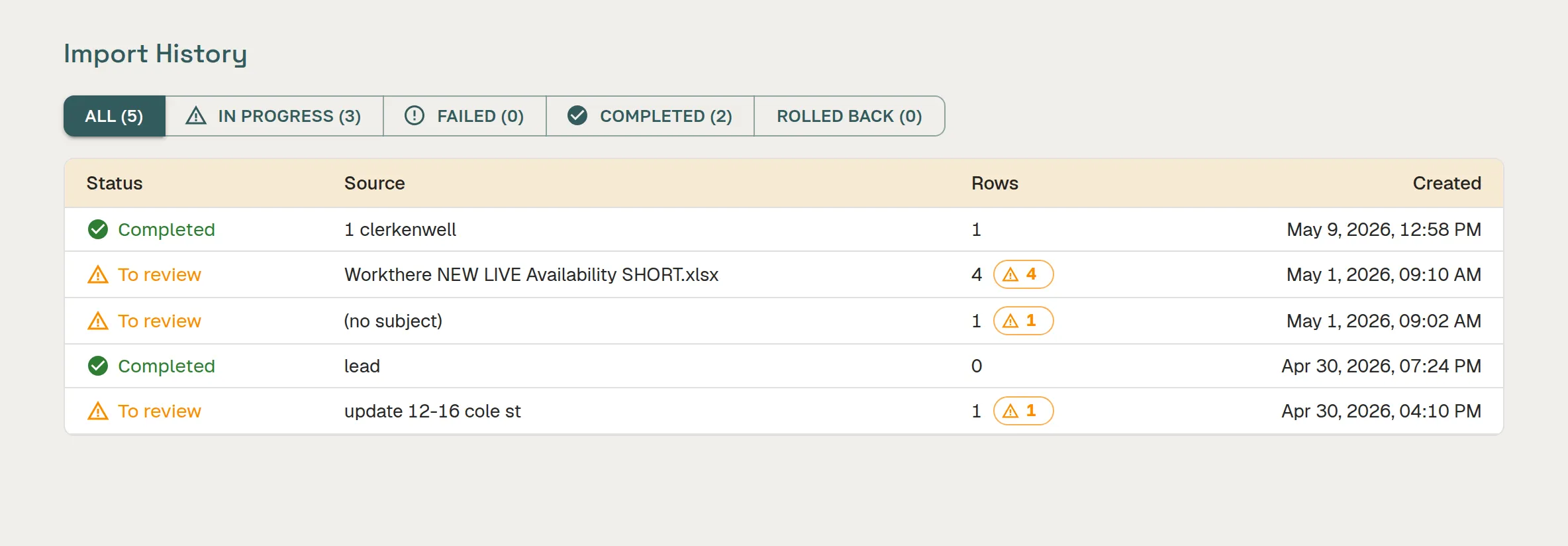
Every scheduled sync, every email update, every plain-text change is stored with its source, timestamp, and the original input. You always know what changed, when it changed, and where the instruction came from.
Made a mistake on a bulk import or accepted an incorrect plain-text update? Roll back the entire batch from a single button — or just flag and revert the specific rows you need to fix.
FAQ
Frequently asked questions
Can Great Space automatically import availability updates from an external source?
Yes. Scheduled & Automated Updates lets you connect a Google Sheet, forward an internal availability email, or drop a spreadsheet on a recurring schedule. SpaceAI maps incoming data to your existing spaces, flags anything it is uncertain about, and applies clean updates automatically.
What data sources does scheduled import support?
Scheduled import supports Google Sheets (live connection), email forwarding (forward your internal availability email to a Great Space inbox), and file uploads on a set schedule. The AI handles column mapping and normalisations — you do not need to format your source data specially.
How often can scheduled imports run?
Scheduled imports can run daily or weekly depending on your plan. Great Space triggers the import automatically on the schedule you set — no manual intervention needed unless SpaceAI flags something it is not confident about.
Do I need technical skills to set up scheduled imports?
No. Set-up is done through the Great Space interface: connect your source (Google Sheet, email, or file), review the column mapping SpaceAI proposes, and activate the schedule. No code, API keys, or technical configuration required.
What happens when SpaceAI is not confident about a data update?
If SpaceAI cannot confidently match an incoming row to an existing space, or if a value looks out of range, it flags the item for your review rather than applying a potentially incorrect update. You see the flagged items on your next log-in and decide whether to approve, correct, or skip them.
Can scheduled import update pricing and availability separately from space details?
Yes. You can run a lightweight availability-only import (available from date, desk count changes) separately from a full data update. This keeps your live inventory current with a smaller, faster sync — useful for providers whose availability changes more frequently than their space specifications.
Live inventory, zero extra admin.
Connect your data source once. Great Space handles the rest.
Create Your Free Profile