Interactive Client Presentations
Present Like a Premium Broker
No more decks cobbled from screenshots and PDFs. Create branded, interactive shortlists in minutes — and see exactly how your client responds.
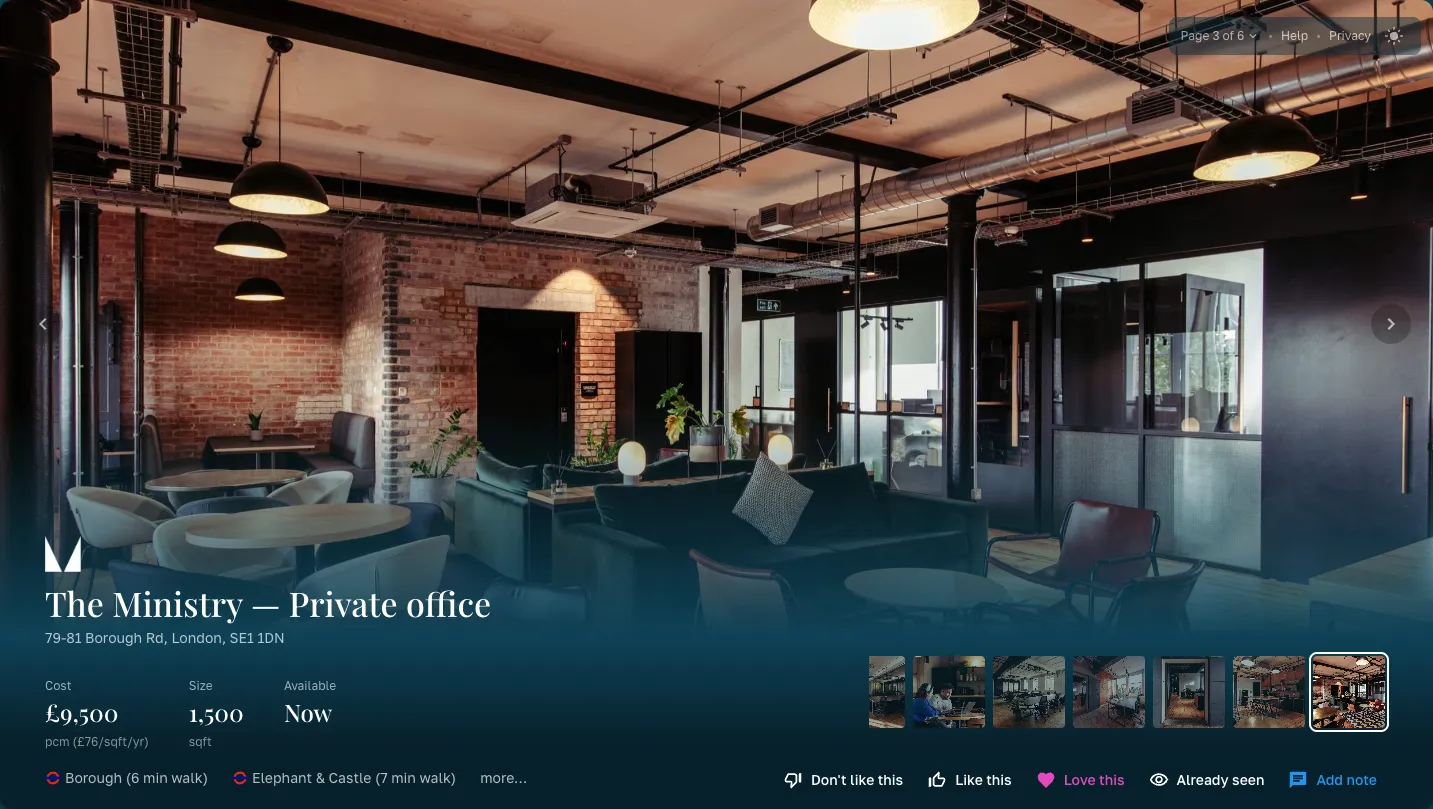
Three Themes
One shortlist, the right presentation
Three layouts for any client — Gallery, Detail, and Highlight. Each is fully yours: watch your logo, accent colour, and background reskin every theme. Light and dark supported as standard.

Make It Yours
Control exactly what your client sees
Every presentation is yours to shape before you share it. Toggle whole slides on or off, hide provider names for a white-labelled shortlist, and decide whether the AI compatibility score is shown. Then set the order spaces appear in — and drag your tag groups into the sequence that tells the best story.
- Toggle the comparison slide, about slide, and PDF download
- Hide provider names or the compatibility score per presentation
- Order spaces by compatibility, then drag tag groups — Top Pick, Best Value, Wildcard — into place
Client Experience
Your clients don't just view — they engage
Share a single link. Your client browses a polished, interactive presentation — no login required. They swipe through spaces, leave thumbs up/down reactions, and add notes on what they like or want to discuss.
- Keyboard and swipe navigation between spaces
- Reaction buttons on every space — thumbs up, thumbs down, or love
- Free-text notes so clients can explain their preferences
- Overview slide with tag groups for easy orientation
- Works on desktop, tablet, and mobile — no app required
Your Branding
Every presentation looks like it came from you
Set your branding once in your account settings and every presentation inherits it automatically — your logo, your primary and secondary colours in both light and dark mode, and your heading and body fonts. Clients see your brokerage, not a generic template.
- Upload your logo once — it's recoloured automatically for dark backgrounds
- Set primary, secondary, and background colours for light and dark mode
- Choose your heading and body fonts to match your existing collateral
- Applies across all three themes, the shared link, and the exported PDF
Built for Brokers
Everything you need to impress
AI Compatibility Scores
Optionally show how each space scores against the client's requirements — so they can see why a space made the shortlist.
Engagement Analytics
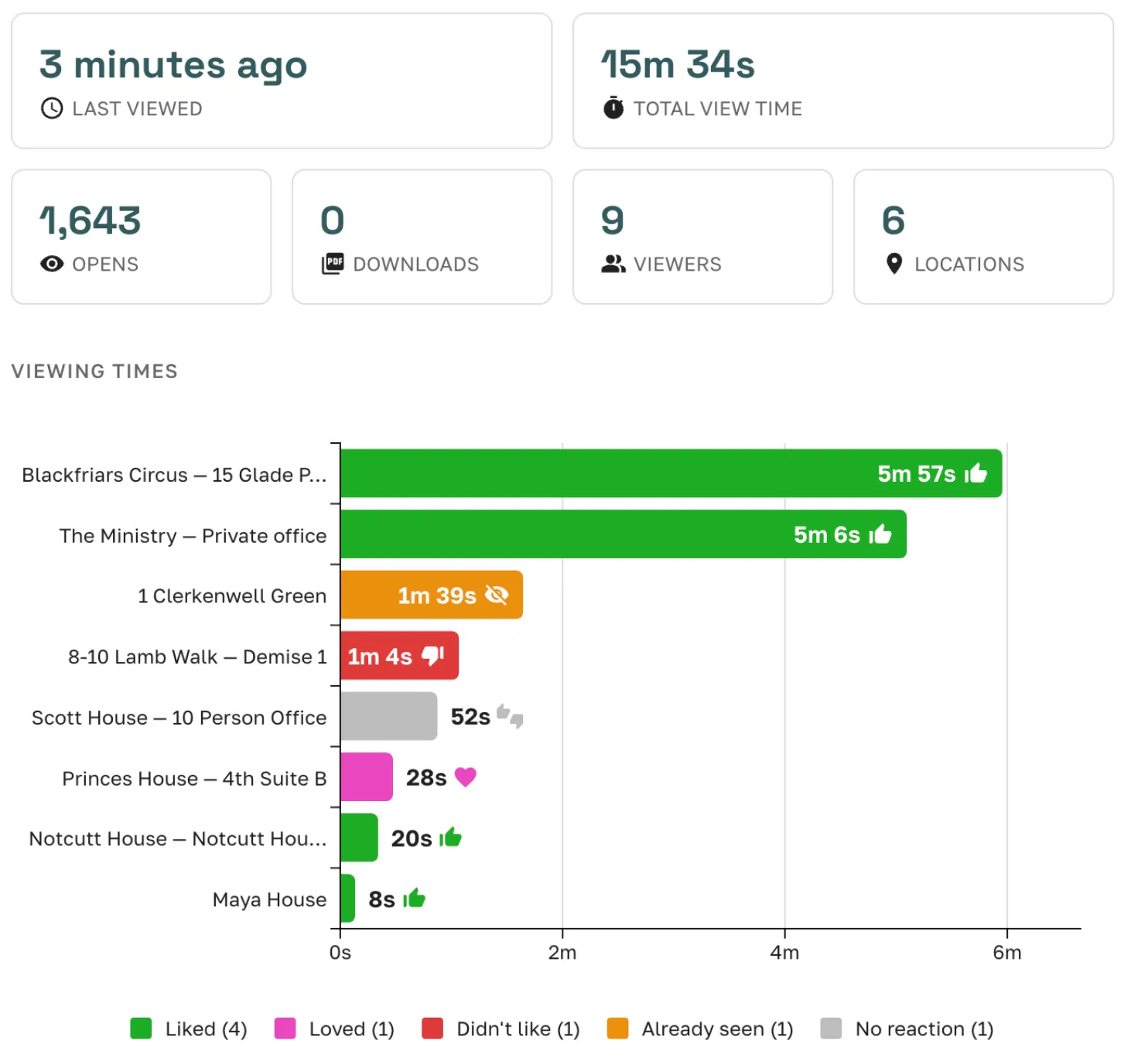
See which spaces your client viewed, how long they spent, and where they are geographically. Know what resonated before the call.
Branded PDF Export
Generate a polished PDF with your branding, fonts, and colours — ready to attach to an email or print for a meeting.
Client Reactions & Notes
Clients rate spaces and leave notes directly in the presentation. You see their preferences in real time — no follow-up email needed.
Tell Your Story
Add an optional 'About Us' slide introducing your brokerage and the people behind the shortlist — alongside your own logo, colours, and fonts.
Curate Every Detail
Choose which photos to show, hide provider names, toggle compatibility scores, and add a personalised broker note for each shortlist.
Engagement Analytics
Know what your client thinks — before they tell you
Every presentation comes with a built-in analytics dashboard. See who opened it, which spaces they lingered on, and how they rated each option.
- Open tracking — know the moment your client views the shortlist
- Per-space engagement — time spent on each space, scroll depth, photo views
- Reaction summary — at-a-glance view of likes, dislikes, and notes
- Location insights — see where your client is viewing from
The old way vs. Great Space presentations
Without Great Space
- × Screenshot spaces from provider websites
- × Paste into PowerPoint or Word, one by one
- × Email a static PDF and hope the client reads it
- × Follow up by phone to get feedback on each space
- × No idea which spaces the client actually looked at
With Great Space
- Shortlisted spaces are already formatted with photos and details
- Pick a theme, add a note, and share a link in minutes
- Clients interact — rate spaces, leave comments, compare options
- See engagement analytics in real time — opens, time spent, reactions
- Export a branded PDF when you need a document for the file
FAQ
Frequently asked questions
What is a Great Space client presentation?
A Great Space client presentation is a branded shortlist document generated from a broker's referral responses. It shows the client the shortlisted workspace options — with space details, photos, pricing, and available terms — formatted for sharing, without exposing the broker's internal platform or provider negotiation details.
How do I create a client presentation on Great Space?
After receiving provider responses to a referral, select the options you want to include, and Great Space generates a presentation automatically. You can reorder options, add notes, and customise the cover before sharing a link with your client.
Can I brand the presentation with my firm's logo?
Yes. Presentations can be customised with broker branding. The presentation the client sees reflects the broker's relationship with the client, not Great Space's platform.
What information is included in a workspace presentation?
Each option in the presentation shows: space name, location, available capacity, workspace type (coworking / serviced office / managed), pricing indication, available from date, key features, and photos. Brokers can add their own commentary or recommendation notes to each option.
Can clients view presentations on mobile?
Yes. Great Space presentations are web-based and responsive — clients can view them on any device via a shared link. No login or app download is required for the client.
How is a Great Space presentation different from a manual shortlist document?
A manual shortlist typically takes a broker 30–60 minutes to compile per client — pulling information from emails, provider websites, and saved notes. Great Space generates the same output in seconds from the referral responses already in the platform, with consistent formatting and always-current data.
What happens if a shortlisted space goes under offer?
The presentation shows an "Under Offer" banner on that option rather than removing it, so your client sees it's spoken for but can still weigh it against the shortlist. It has no effect on how the space was ranked — being under offer neither helps nor hurts its place in the shortlist.
Presentations that close deals
Start free with 3 active deals — presentations are included on every plan.